

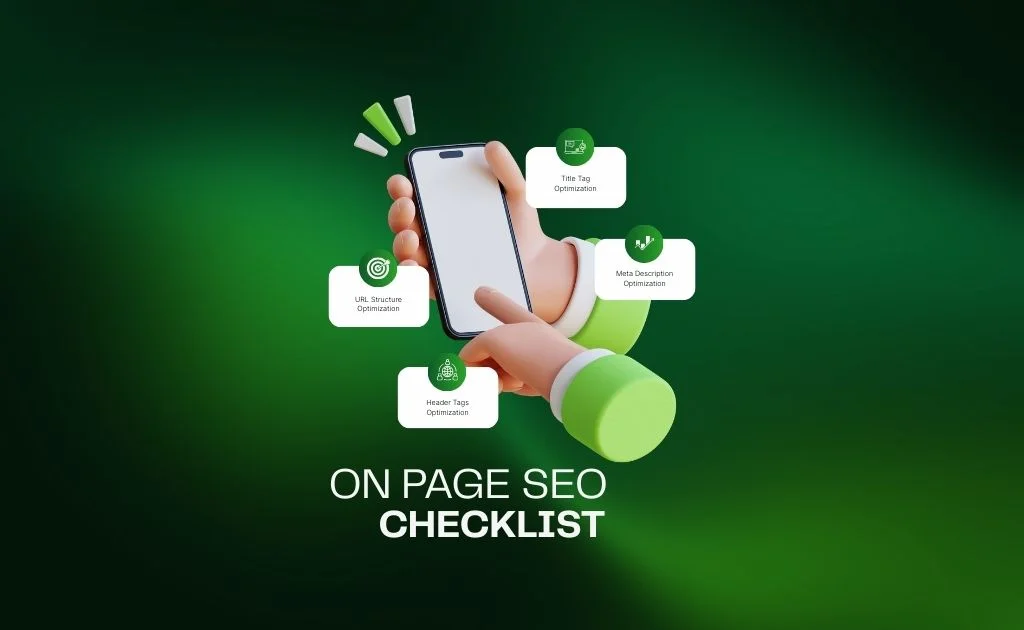
In the fast-changing world of digital marketing, search engine optimization (SEO) continues to play a central role in online success. While off-page tactics like backlinks and technical improvements matter, on-page SEO remains the cornerstone of building authority, trust, and visibility in Google’s results.
But here’s the catch: traditional SEO checklists are no longer enough. With AI Overviews, voice search, and Google’s generative updates, businesses need expert on-page SEO checklists that reflect modern strategies and cutting-edge practices. This article provides exactly that—an innovative roadmap for 2025 to help you outrank competitors and future-proof your website.
To streamline your optimization process, you can also use this 12-Point On-Page SEO Template, designed to help you track every element and ensure nothing is missed.
What Is On-Page SEO?
On-page SEO (also known as on-site SEO) is the practice of optimizing the content and structure of individual pages on your website to improve search rankings and attract targeted traffic. Unlike off-page SEO, which focuses on external signals like backlinks, on-page SEO is entirely within your control.
Key elements include:
- Titles and meta descriptions
- URL structure
- Headers (H1–H6)
- Internal and outbound links
- Schema markup
- Image optimization
- Content quality and keyword placement
In short, on-page SEO is the foundation of digital visibility. If your site isn’t properly optimized, even strong backlink campaigns won’t deliver their full value.
Why You Need Expert On-Page SEO Checklists in 2025
The rules of SEO evolve constantly. A decade ago, keyword stuffing worked; today, it will rank your rankings. Now, with Google AI Overviews and generative search, the need for expert on-page SEO checklists has never been greater.
Here’s why they’re crucial in 2025:
Visibility in AI Results – Structured, well-optimized content has a higher chance of being cited in AI answers.
Better User Experience – Clean structure and mobile-first design keep users engaged.
Future-Proof Rankings – Adapts your website to changes in algorithms and SERP features.
Higher Conversions – Pages optimized for both people and search engines lead to more clicks, leads, and sales.
Competitive Edge – Using modern and innovative on-page SEO checklists ensures you’re ahead, not catching up.
The Expert On-Page SEO Checklist for 2025
Let’s dive into the step-by-step expert checklist that every business, SEO professional, or marketer should follow this year.
Title Tag Optimization
Your title is the first thing users (and search engines) see.
What is Title Tag?
A title tag is an HTML element located in the <head> section of a webpage. It gives search engines and users an idea of what the page is about by summarizing its main topic.
In search engine results pages (SERPs), the title tag usually appears as the clickable headline link, and it also shows up at the top of your browser tab.
Unlike body text, images, or other visible on-page content, the title tag isn’t something users see frequently while browsing. Because of this, it’s an element that can sometimes be undervalued.
By itself, a title tag won’t drastically change your organic rankings. SEO success relies on multiple factors—quality content, technical optimization, and overall site authority—not on a single tag alone.
Best Practices for Title Tag Optimization
Include Primary Keyword Early
Place your target keyword near the beginning of the title.
Example:
SEO Audit Services | Vocalrina Digital Marketing
Keep Titles Within 50–60 Characters
This prevents titles from being cut off in search results.
Example:
Social Media Marketing Tips for Small Businesses
Make Each Title Unique
Avoid duplicate titles across pages.
Example:
Blog: 10 Proven SEO Strategies for 2025
Service Page: Professional SEO Services | Vocalrina
Match Search Intent
Align the title with what users are searching for.
Example:
If the keyword is “best SEO tools”, use:
Best SEO Tools in 2025 for Higher Rankings
Add Your Brand Name (when relevant)
Helps with brand visibility and trust.
Example:
Content Marketing Agency | Vocalrina
Use Power Words & Action Terms
Words like guide, proven, ultimate, expert make titles more clickable.
Example:
The Ultimate Guide to Technical SEO Audits
Avoid Keyword Stuffing
Don’t repeat the same keyword multiple times.
Example:
Bad: SEO Services, SEO Agency, SEO Company | Vocalrina
Good: SEO Services to Boost Your Rankings | Vocalrina
Meta Description Optimization
Meta descriptions don’t directly affect rankings but greatly impact click-through rates.
Whats is Meta Description?
A meta description is a short snippet of text placed in a webpage’s HTML that summarizes the page’s content, usually within 150–160 characters. It often appears beneath the page title in search engine results and serves as a persuasive preview, encouraging users to click through to the site.
Beyond summarizing content, a well-written meta description works as a mini advertisement for your webpage. While it doesn’t directly influence search engine rankings, it can significantly improve click-through rates (CTR) by highlighting value, relevance, and solutions that match the searcher’s intent. In this way, it acts as a bridge between search visibility and user engagement.
Best Practices for Meta Description Optimization
Keep It Within 150–160 Characters
Avoids truncation in search results.
Example:
✅ Boost your website traffic with our proven SEO services. Vocalrina helps you generate more leads and build a stronger digital presence.
❌ Our SEO services are the best. We provide SEO, SEM, SMM, content, backlinks, audits, and much more for your business growth. (too long + stuffed)
Include Primary Keyword Naturally
Helps search engines understand relevance.
Example:
Discover expert SEO audit services to improve rankings and drive organic traffic. Vocalrina makes SEO simple and effective.
Make It Compelling & Action-Oriented
Encourage clicks with strong CTAs (e.g., Learn more, Discover, Get started).
Example:
Need more leads? Explore Vocalrina’s SEO strategies designed to maximize conversions. Get started today.
Align With Search Intent
Match what users are looking for.
Example:
For keyword “best SEO tools”:
Explore the best SEO tools for keyword research, auditing, and link building. Find the right tool to boost your rankings in 2025.
URL Structure Optimization
Clean URLs improve both user experience and SEO.
What is URL Structure?
A URL (Uniform Resource Locator) is the unique web address of a page or file on the internet. In SEO, URLs are important because they help search engines understand a page’s content and structure. A clean, keyword-rich, and well-structured URL improves both search rankings and user experience.
SEO Best Practices for URL Structure
Keep URLs Short and Simple
Shorter URLs are easier for users to read and share.
Example:
www.vocalrina.com/seo-services (right) vs. www.vocalrina.com/digital-marketing-services-in-lahore/seo-marketing-optimization-2025 (wrong)
Use Keywords in URLs
Include your primary keyword naturally to improve relevance.
Example:
www.vocalrina.com/blog/seo-audit-guide
Use Hyphens (-), Not Underscores (_)
Hyphens make URLs more readable for both users and search engines.
Example:
www.vocalrina.com/social-media-marketing
Use Lowercase Letters Only
Avoid uppercase letters to prevent duplicate content issues.
Example:
www.vocalrina.com/blog/seo-tips (not .../SEO-Tips).
Avoid Unnecessary Parameters or Numbers
Clean URLs perform better than ones with random characters.
Example:
www.vocalrina.com/blog/url-structure-tips (right) vs. www.vocalrina.com/blog/?p=12345 (wrong)
Use a Logical Hierarchy
Show clear structure with categories or folders when needed.
Example:
www.vocalrina.com/blog/seo/technical-audit
Avoid Keyword Stuffing
Don’t repeat keywords unnecessarily in the URL.
Example:
www.vocalrina.com/seo/seo-services-seo-agency
Stick to HTTPS
Always use secure URLs (HTTPS) for SEO and trustworthiness.
Avoid Stop Words
Words like “and, or, the, of” can usually be left out.
Example:
www.vocalrina.com/blog/benefits-seo (better) vs. .../benefits-of-seo
Keep URLs Consistent
Once live, avoid changing URLs frequently (unless absolutely needed) to maintain SEO value.
Header Tags Optimization
What is Header Tags?
Header tags (H1, H2, H3, etc.) are HTML elements used to define headings and subheadings on a webpage. They organize content into a clear structure, making it easier for both users to read and search engines to understand the main topics of the page.
- H1 → The main title of the page (used once).
- H2 → Subheadings for key sections.
- H3, H4, H5 → Sub-sections under H2 or further breakdowns.
SEO Best Practices for Header Tags Optimization
Use Only One H1 per Page
The H1 is the main title and should reflect the primary topic.
Example:
SEO Services to Grow Your Business (Correct)
SEO Services | SEO Agency | SEO Marketing Company (keyword stuffing) (Incorrect)
Include Primary Keyword in the H1
Naturally add the target keyword in the main heading.
Example:
Technical SEO Audit Services for Better Rankings
Keep Headings Clear and Descriptive
Make them meaningful, not vague.
Example:
Benefits of Social Media Marketing for Small Businesses (Correct)
More Info Here (Incorrect)
Match Header Tags to Content Hierarchy
Don’t skip levels (e.g., H1 → H3 without H2).
Keep the structure logical, like an outline.
Keyword Research & Placement
What is Keyword Research?
Keyword research is the process of finding and analyzing the search terms that people type into search engines when looking for information, products, or services.
In SEO, it helps you understand what your audience is searching for, how often those terms are searched (search volume), and how difficult it is to rank for them (competition).
For example, if you run a digital marketing agency, keywords like “SEO services,” “social media marketing,” or “best SEO tools” may be valuable because they reflect what your potential clients are actively searching for.
Best Practices for Keyword Research
Understand Your Audience & Their Intent
Know whether users are looking for information, services, or to make a purchase.
Example:
Informational: “What is SEO?”
Commercial: “Best SEO tools for small businesses”
Transactional: “Hire SEO agency in Lahore”
Use Keyword Research Tools
Tools like Google Keyword Planner, Ahrefs, SEMrush, Ubersuggest help find search volume, competition, and variations.
Example:
“SEO services” → Related keywords: “local SEO services,” “affordable SEO agency.”
Focus on Long-Tail Keywords
Long-tail keywords are more specific, less competitive, and bring qualified traffic.
Example:
Short-tail: “SEO” (very broad, high competition)
Long-tail: “SEO audit services for small businesses” (specific, easier to rank)
Analyze Competitors’ Keywords
Check what competitors are ranking for and find gaps.
Example:
If a competitor ranks for “social media marketing tips,” you could target “advanced social media strategies for 2025.”
Check Search Volume vs. Competition
Balance high search volume with realistic ranking opportunities.
Example:
High volume, high competition: “SEO services”
Medium volume, low competition: “affordable SEO services in Lahore”
Regularly Update Keyword Research
Keywords change over time as trends and algorithms shift.
Example: “Voice search SEO tips” is a newer trend compared to old “mobile SEO tips.”
Content Quality & Depth
What is Content Quality?
Content quality in SEO refers to how valuable, relevant, and useful your content is to both users and search engines. High-quality content answers the user’s search intent, provides accurate information, and is engaging enough to keep readers on the page.
Search engines like Google evaluate content quality based on factors such as expertise, authoritativeness, and trustworthiness (E-A-T), along with readability, originality, and depth of coverage.
Match Search Intent
Write content that directly answers what users are looking for (informational, transactional, navigational).
Example:
Keyword: “How to do a site audit”
Good: Step-by-step guide with screenshots and tools.
Bad: A short sales pitch for your SEO service.
Be Comprehensive and In-Depth
Cover the topic fully, not just surface-level.
Example:
Instead of a 300-word blog on “On-Page SEO”, write a 2,000+ word guide that explains titles, meta descriptions, headers, internal links, etc.
Use Clear Structure with Headers (H1, H2, H3)
Improves readability and helps SEO.
Example:
H1: “SEO Services for Small Businesses”
H2: “Why SEO Matters in 2025”
H3: “Case Study: Increasing Leads with SEO”
Write for Humans First, SEO Second
Keep language natural; don’t force keywords.
Example:
“Our SEO services help small businesses grow online.” (Correct)
“SEO services small business SEO company best SEO services.” (Incorrect)
Include Multimedia Elements
Add images, infographics, charts, or videos for better engagement.
Example:
A blog on “SEO Audit Checklist” with a downloadable PDF checklist.
Update Content Regularly
Outdated content loses rankings. Refresh stats, examples, and strategies.
Example:
Change “SEO trends in 2023” to “SEO trends in 2025” with updated insights.
Provide Actionable Takeaways
Give readers something they can apply immediately.
Example:
End a blog with:
- “Start by optimizing your title tags with primary keywords. Then run a technical SEO audit using free tools like Screaming Frog.”
Internal Linking Strategy
What is Internal Linking?
Internal linking is the practice of connecting one page of your website to another page within the same domain using hyperlinks. These links help users navigate your site easily and guide search engines to understand the structure and hierarchy of your content.
In SEO, internal links are important because they:
- Pass link equity (authority) from one page to another.
- Help search engines discover and index new content.
- Improve user experience by guiding readers to related topics.
Best Practices for Internal Linking
Use Descriptive Anchor Text
Anchor text should clearly describe the linked page.
Example: “Learn more about our [SEO Audit Services].”
Example: “Click here.”
Link to Relevant Content
Only add links that make sense for the reader.
Example:
A blog on “Keyword Research” could link to your blog on “On-Page SEO”, since they’re related.
Prioritize Important Pages
Pass authority to your service or conversion-focused pages.
Example:
From multiple blog posts, link to “Hire Our SEO Agency in Lahore” service page.
Include Links in Key Areas
Use internal links in menus, footers, sidebars, and breadcrumbs.
Example: Footer links to “About Us,” “Services,” “Contact,” “Blog.”
Outbound Linking Optimization
What is Outbound Linking?
Outbound linking (also called external linking) is when you add a hyperlink from your website to another website. These links take users away from your domain to an external source.
In SEO, outbound links are important because they:
- Show search engines that you’re referencing credible, relevant sources.
- Improve user trust by directing readers to authoritative information.
- Help search engines understand the context and topic of your content.
Best Practices for Outbound Linking
Link to Authoritative & Trusted Sources
Outbound links should point to credible websites (Google, industry leaders, research sites).
✅ Example: Linking to Search Engine Journal or Google Search Central.
❌ Example: Linking to low-quality blogs or spammy directories.
Keep Links Relevant to Your Content
Make sure the outbound link adds value to the topic.
Example:
Blog on “Keyword Research” → Link to a detailed keyword research tool like Ahrefs.
Not relevant: Linking to a recipe site in an SEO article.
Use Descriptive Anchor Text
The clickable text should clearly explain what users will find.
✅ Example: “Learn more in [Google’s SEO Starter Guide].”
❌ Example: “Click here.”
Open Outbound Links in a New Tab
Helps users stay on your site while checking external resources.
Example:
Avoid Excessive Outbound Links
Too many external links can distract users and dilute authority.
Example: In a 1,500-word blog, 3–5 strong outbound links are enough.
Ensure Outbound Links Add Value for the Reader
Don’t link just for SEO — link because it genuinely helps your audience.
Example:
A blog on “SEO Trends 2025” → Outbound link to Google’s latest AI update.
Page Speed Optimization
What is Page Speed?
Page speed refers to how quickly a webpage loads and displays its content when someone visits it. In SEO, page speed is a crucial ranking factor because search engines like Google want to provide users with the fastest and smoothest experience possible.
A slow-loading page can lead to:
- Higher bounce rates (visitors leaving quickly).
- Lower engagement and conversions.
- Negative impact on search rankings.
Best Practices for Page Speed Optimization
Optimize Images
Compress and resize images without losing quality.
Example:
Use WebP format instead of heavy JPEG/PNG.
Tool:
TinyPNG, ShortPixel, or built-in WordPress plugins like Smush.
Enable Browser Caching
Store static resources (CSS, JS, images) in the user’s browser for faster reloads.
Example:
Set caching rules via .htaccess or a plugin like W3 Total Cache.
Use a Content Delivery Network (CDN)
Distribute your site content across global servers to reduce latency.
Example:
Cloudflare CDN can serve your Vocalrina site faster to users worldwide.
Minify CSS, JavaScript & HTML
Remove unnecessary characters and spaces from code.
Example:
Use Autoptimize plugin for WordPress.
Reduce HTTP Requests
Limit the number of files (images, scripts, CSS) loading per page.
Example:
Instead of 5 separate CSS files, combine them into one.
Optimize Server Response Time
Choose a fast hosting provider and avoid overloaded servers.
Example:
Upgrade to managed hosting like SiteGround or Kinsta if needed.
Lazy Load Images & Videos
Load media only when the user scrolls to them.
Example:
Instead of /blog → /seo-blog → /seo-tips, link directly /blog → /seo-tips.
Use AMP (Accelerated Mobile Pages) for Blogs
Helps mobile pages load faster (though optional now with Core Web Vitals).
Example:
Your SEO Blog Posts can use AMP for mobile readers.
Mobile-Friendliness Optimization
What Is Mobile-Friendliness?
Mobile-friendliness in SEO refers to how well a website is designed and optimized to provide a smooth, easy-to-use experience on mobile devices like smartphones and tablets.
A mobile-friendly website:
- Loads quickly on mobile connections.
- Has a responsive design (adapts to different screen sizes).
- Features readable text without zooming.
- Uses easy-to-tap buttons/links.
- Avoids horizontal scrolling or broken layouts.
Best Practices for Mobile-Friendliness
Use Responsive Design
Make sure your site automatically adjusts to different screen sizes.
Example:
Your SEO Services page looks clean and scrollable on both desktop and a small iPhone screen without zooming.
Ensure Fast Loading on Mobile
Optimize images, enable caching, and minimize code.
Example:
A blog post loads in under 3 seconds even on 4G mobile data.
Readable Text Without Zooming
Use legible fonts (at least 16px) and proper line spacing.
Example:
Your blog text appears clear and easy to read on a phone without pinch-zoom.
Test with Google’s Mobile-Friendly Test
Always check if Google recognizes your site as mobile-friendly.
Example:
Entering vocalrina.com in Google Mobile-Friendly Test to confirm compliance
Image Optimization
What is Image Optimization?
Image optimization in SEO is the process of reducing the file size of images without compromising quality and properly formatting them so that they load quickly and are easily understood by search engines.
It involves techniques like:
- Compressing images for faster loading.
- Using the right file format (WebP, JPEG, PNG).
- Adding descriptive alt text so search engines can understand the image.
- Naming files properly (e.g.,
seo-services-lahore.jpginstead ofIMG123.jpg).
Best Practices for Image Optimization
Use the Right File Format
✅ WebP → Best for modern web (small + high quality).
✅ JPEG → Good for photos.
✅ PNG → Best for graphics with transparency.
Example:
Blog infographic → PNG, service page banner → WebP.
Compress Images Without Losing Quality
Use tools like TinyPNG, ShortPixel, or Imagify.
Example:
Compress a 2 MB image → 200 KB, without visible difference.
Use Descriptive File Names
Helps search engines understand your image content.
❌ Bad: IMG_123.jpg
✅ Good: seo-audit-checklist.jpg
Add Alt Text (Alternative Text)
Describes the image for SEO and accessibility.
❌ Bad: alt="image"
✅ Good: alt="SEO audit checklist with 10 steps for small businesses"
Use Responsive Images (Mobile-Friendly)
Ensure images scale properly on different devices.
Example: A desktop hero banner should resize and load smaller on mobile.
Enable Lazy Loading
Load images only when users scroll to them.
Example: On a long blog, images at the bottom won’t load until the user scrolls down.
Use Image Sitemaps
Add images to your sitemap so Google indexes them.
Example: Include blog infographics in your sitemap.xml.
Leverage CDN (Content Delivery Network)
Deliver images from servers closest to the user.
Example: Cloudflare CDN for faster image delivery worldwide.
Test & Monitor Image Performance
Use tools like Google PageSpeed Insights or GTMetrix.
Example: If an image slows down LCP (Largest Contentful Paint), resize or compress it.
Schema Markup Implementation
What is Schema Markup?
Schema markup (also called structured data) is a type of code you add to your website to help search engines understand the content better. It uses a vocabulary from Schema.org and is usually written in JSON-LD format.
By adding schema, you give Google and other search engines extra details about your page — such as products, reviews, events, services, FAQs, or articles. This can enhance how your page appears in search results with rich snippets (like star ratings, FAQs, images, or event details).
Best Practices for Scheme Markup
Choose the Right Schema Type
Use schema that best matches your page content (Article, LocalBusiness, Product, FAQ, Service, Event, etc.).
✅ Example: For Vocalrina’s SEO Services page, use LocalBusiness or Service schema.
✅ Example: For a blog post, use Article or BlogPosting schema.
Follow Schema.org Standards
Always use the official vocabulary from Schema.org.
Example:
"@type": "LocalBusiness" instead of "@type": "CompanyBusiness".
Monitor Schema Performance in Google Search Console
Google reports schema errors and enhancements.
Example:
Check “Enhancements” section in GSC for FAQ, Review, Breadcrumbs schema.
Canonical Tags Setup
Avoid duplicate content issues.
Always define the canonical version of a page.
Prevents splitting ranking signals.
Keyword Density Check
Maintain 1.5–2% keyword density.
Use semantic keywords (LSI terms).
Focus on readability over stuffing.
User Experience (UX) Factors
SEO isn’t just about search engines—it’s about people.
Use clear navigation.
Add compelling CTAs.
Improve dwell time with videos, visuals, and interactive content.
Modern & Innovative On-Page SEO Checklists for 2025
The future of SEO is AI-driven. Here’s how you can adapt:
AI-Powered Content Audits – Use SurferSEO, Clearscope, or MarketMuse.
Voice Search Optimization – Target conversational, long-tail keywords.
Entity SEO – Build topical authority through structured clusters.
Multimedia SEO – Use podcasts, infographics, and videos for engagement.
These innovative on-page SEO checklists go beyond the basics—ensuring your content is future-ready.
Common On-Page SEO Mistakes to Avoid
Even experienced marketers slip up. Watch out for:
Overusing keywords (stuffing).
Ignoring mobile optimization.
Missing meta descriptions.
Poor internal linking.
Thin content with no depth.
Avoiding these mistakes is just as important as following the checklist itself.
Why On-Page SEO Still Matters in the Age of AI
Some say AI Overviews and generative search will replace on-page SEO. The truth? On-page SEO is more important than ever.
- AI tools cite well-structured content.
- Schema markup helps content appear in AI snippets.
- Engaging, authoritative content boosts brand trust—even without clicks.
In other words, expert on-page SEO checklists are the bridge between your website and AI-powered search engines.
Final Thoughts
On-page SEO is no longer about ticking off a basic list. To succeed in 2025, you need expert, modern, and innovative checklists that align with evolving search behaviors and AI-driven SERPs.
By following this comprehensive checklist, you will:
Improve your Google rankings.
Future-proof your brand.
Enhance user experience and conversions.
Stay competitive in an AI-first search landscape.
If you’re looking to benchmark your SEO efforts against industry leaders, check out our list of the Top Digital Marketing Agencies in Lahore 2025 to see who’s setting the standard.