


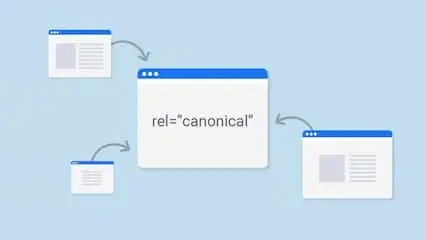
Duplicate content can lower your SEO rankings, so using a canonical tag generator helps fix that issue quickly. This powerful tool helps you create clean, accurate canonical tag code that tells search engines which version of a page to index, helping protect your site from any penalties and steps up your digital marketing.
In this guide, we’ll explore what canonical tags are, how to use them properly, and why a rel canonical URL code tool is a must-have in your toolbox.
Why Canonical Tags Are Important for SEO: What You Need to Know
A primary URL tag is an HTML element that helps avoid duplicate content problems by specifying the “preferred” version of a webpage. It looks like this:

Why use it?
When you have multiple pages with similar or duplicate content—like product pages with different filters or URLs—Google might get confused about which version to index. The rel=”canonical” tag informs search engines of the original page, helping to combine link authority and safeguard your search rankings.
What Does a Canonical Tag Generator Do?
It is a tool designed to help webmasters, developers, and professionals create accurate tag code automatically. Instead of writing the code manually (and risking mistakes), this tool generates the correct format in seconds.
Benefits of Using a Canonical Code Tool
Avoids duplicate content penalties
Ensures correct URLs are indexed
Saves time and reduces errors
Ideal for e-commerce, blogs, and dynamic websites
How to Use Our rel=”canonical” URL Generator Tool
Using this tool is simple. Here’s how it works:
- Type the URL you want search engines to recognize as the primary page.
- Click “Generate” – the tool will instantly create a clean canonical tag code.
- Copy and paste the code into the
<head>section of your HTML page.

Canonical Tag Code Best Practices
To get the most out of your preferred link tag code, follow these best practices:
1. Use Absolute URLs
Always use the full URL including https:// rather than relative URLs.
2. Self-Reference Each Page
The main version of a page should also have a primary URL tag that references itself.
3. Avoid Redirect Loops
Ensure the primary URL doesn’t redirect elsewhere. Use the final, resolved URL.
4. One Canonical Tag per Page
Avoid using multiple tags, as this may confuse search engines.
Common Mistakes to Avoid
It’s important to avoid the following mistakes:
- Using the wrong URL version (e.g., HTTP instead of HTTPS)
- Using different canonical tags for desktop and mobile versions
- Forgetting to update tags after site migration or URL changes
- Avoid pointing all pages to the homepage (bad practice)
Avoid these mistakes to ensure your code strengthens rather than weakens your website optimization.
Why Use a Canonical Tag Generator Instead of Manual Coding?
Manual coding can be time-consuming and error-prone. Here’s why using a tag generator is a better option:
- Accuracy: No need to worry about syntax errors
- Speed: Generate hundreds of canonical tags in less time
- User-Friendly: Ideal for marketers and business owners without technical expertise
- Scalability: Easily scale organic search strategy implementation across large sites
Whether you’re managing a blog, e-commerce store, or SaaS site, it simplifies your website optimization
FAQs
Should every page have a canonical tag?
Yes. Even if there’s no duplicate content, using a self-referencing canonical tag helps search engines identify the preferred version.
Can I point different pages to the same canonical URL?
Yes, but only if the content is duplicate or near-duplicate. Otherwise, each unique page should point to itself.
Where do I place the canonical tag?
Place it within the HTML <head> section, just before the closing </head> tag.
Try Our Free Canonical Tag Generator Today
Ready to clean up your site optimization and protect your site from duplicate content issues?
– No login required
– Instant code generation
-Compatible with blogs, online stores, landing pages, and beyond.
👉 Use the Canonical Tag Generator Now
Simplify SEO with a Canonical Tag Generator
Duplicate content can quietly damage your search rankings—but using a canonical tag generator puts you back in charge. It’s an easy, powerful method to direct search engines to your key pages.
Whether you’re building a new website or auditing an existing one, using a primary URL code tool is a smart move for long-term optimization success.
Start using our URL code generator today and keep your site clean, optimized, and Google-friendly.